Estimate Maker App: Create, Send, and Convert Estimates
An estimate tells a client what a job will cost before you commit. With PocketInvoice's free estimate maker you build one on your phone in about a minute, attach photos of the job, send it as a PDF, and convert it to an invoice in one tap once it's approved.
Estimate vs quote vs invoice — quick definitions
- Estimate — your best approximation of what a job will cost. It can change as scope becomes clear.
- Quote — a fixed price offer for defined work. Once accepted, the price generally holds.
- Invoice — the request for payment after (or during) the work.
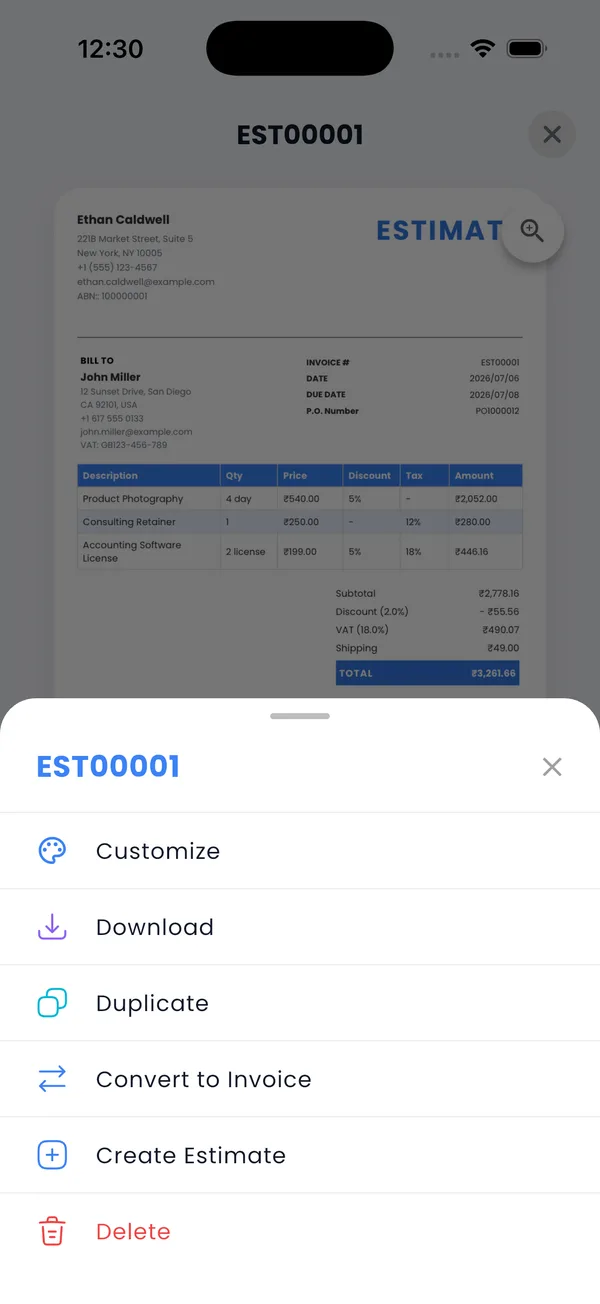
In PocketInvoice, the estimate document covers both estimates and quotes — how firm the price is depends on the terms you write on it. When it's accepted, it becomes the invoice with one tap.
How to create an estimate
- Open PocketInvoice and tap the Estimate tab, then create a new estimate.
- Add the client (or pick a saved one).
- Add line items — labor, materials, services — with quantities and rates.
- Attach photos of the job, the site, or the products.
- Add terms: how long the estimate is valid, what's included, what isn't.
- Pick a template and share the PDF by email or WhatsApp.
Why photo-backed estimates win approvals
A number on its own invites pushback. A number next to a photo of the cracked driveway it fixes gets approved. Photos anchor the price to the actual work, reduce back-and-forth questions, and protect you later — the estimate documents the condition and scope you priced.
Convert to an invoice in one tap
The moment a client says yes and the work is done, convert the estimate: every line item, rate, and client detail carries over to a new invoice. Nothing is retyped, so nothing gets mistyped. Adjust final quantities if the job changed, then send.
Keep estimates from going stale
Your estimate list shows what's outstanding. Follow up on estimates that have been sitting a week — a short "any questions about the estimate?" message revives more jobs than you'd expect. When one is declined, delete or keep it for records; when accepted, convert it.
Send a photo-backed estimate today
PocketInvoice includes free estimates with photo attachments and one-tap conversion to invoices.


FAQ: Estimates
What's the difference between an estimate and a quote?
An estimate is an approximation that can change as the job becomes clearer; a quote is a fixed price for defined work. In PocketInvoice you create both with the estimate document — the terms you write determine how firm the price is.
Can I convert an estimate to an invoice?
Yes, in one tap. All line items, rates, and client details carry over to the new invoice, so nothing is retyped.
Can I attach photos to an estimate?
Yes. Attach photos of the job or site directly to the estimate — clients approve faster when they can see exactly what the price covers.
Is the estimate maker free?
Yes. The free plan includes estimates each month with photo attachments, PDF export, and conversion to invoices. Premium removes the monthly limits.