How to Choose an Invoice Template (and Customize It)
Your invoice is often the last impression a client gets, and a clean template makes you look established while getting fewer payment questions. PocketInvoice includes 100+ invoice templates across 7 style families, with 36 accent colors, multiple fonts, and full logo support.
The 7 template families
- Standard — familiar, no-nonsense layouts every client recognizes instantly.
- Structured — strong tables and grids; great when invoices carry many line items.
- Professional — restrained, corporate-friendly designs for consulting and B2B work.
- Clean — minimal and airy; lets the numbers breathe.
- Vibrant — bold color; fits creative studios and modern brands.
- Artistic — distinctive layouts for designers, photographers, and makers.
- Luxury — premium, refined styling for high-end services.
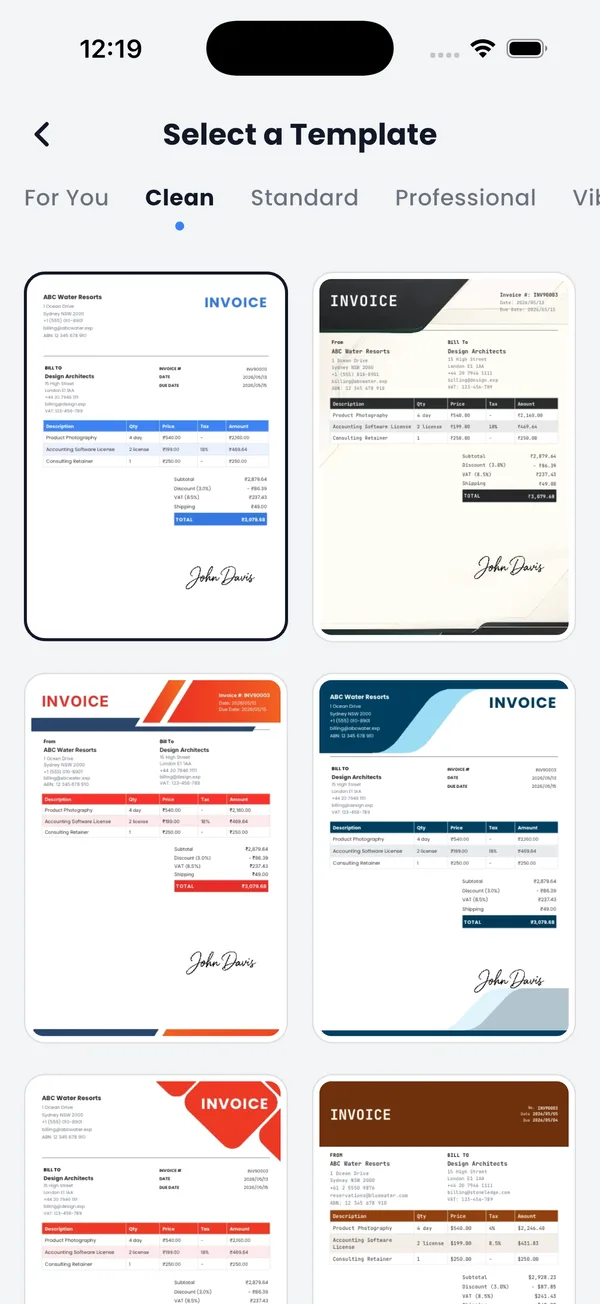
Match the template to your trade
A rule of thumb that rarely misses: trades and field services (repair, cleaning, construction) read best with Structured or Clean layouts — clients scan for the numbers. Creative work earns Vibrant or Artistic designs; the invoice extends your portfolio. Consulting, legal, and finance favor Professional or Luxury restraint. When unsure, Standard is never wrong.
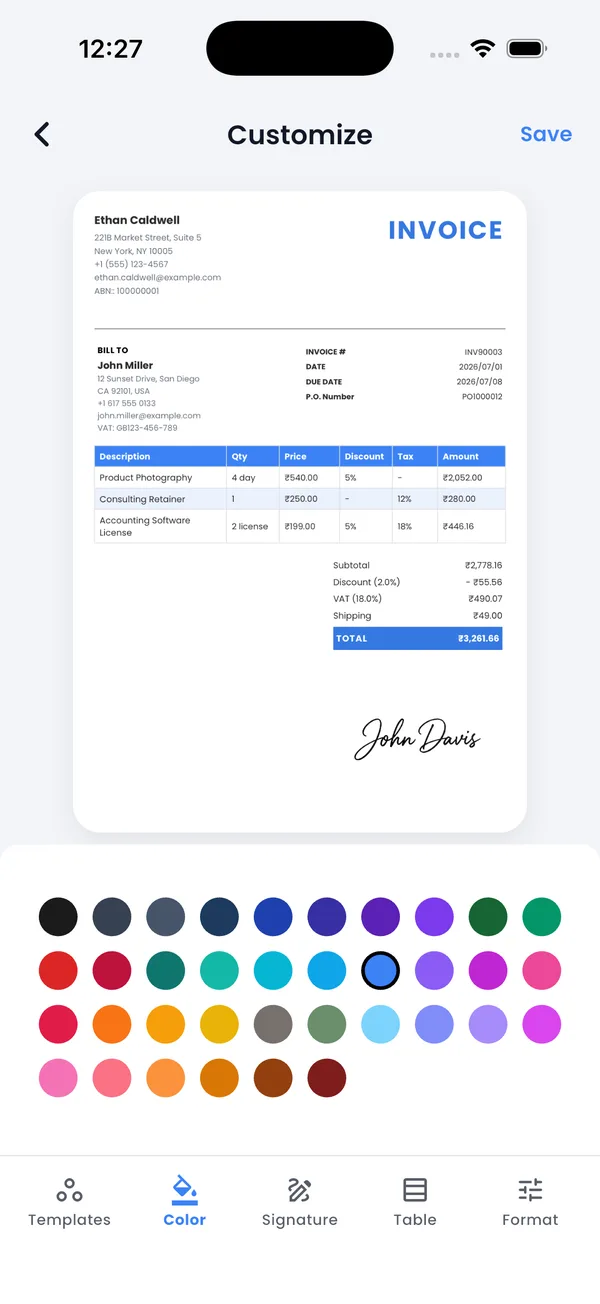
Customize it to your brand
Every template accepts your identity without design skills:
- Logo — with adjustable size
- Accent color — 36 options to match your brand
- Fonts — professional pairings, including a compact size preset for dense invoices
- Table style — header shading, row fills, borders, and density
- Signature — draw once, reuse on every document
Change templates any time
The design isn't locked when you create the invoice. Open any invoice, switch the template, and preview it instantly — same data, new design. Estimates use the same template library, so your quotes and invoices match.
Free vs premium templates
Around 20 templates are free, covering the core styles. Premium unlocks the full 100+ library along with unlimited invoices. Either way, every template exports as the same print-quality PDF.
Find your template in the app
Browse all 100+ invoice templates free — customize with your logo and colors in minutes.


FAQ: Invoice templates
Are the invoice templates free?
Around 20 templates are free, covering the main styles. Premium unlocks the full library of 100+ designs. All templates export as print-quality PDFs.
Can I add my own logo to a template?
Yes. Add your logo once to your business profile and it appears on every template, with adjustable size. You can also add a hand-drawn digital signature.
Can I change the template after creating an invoice?
Yes. Open the invoice, pick a different template, and preview it instantly — your data stays, only the design changes.
Do estimates use the same templates?
Yes. Estimates and invoices share the same template library and customization, so all your documents look consistent.