The Invoice Maker That
Gets You Paid Faster
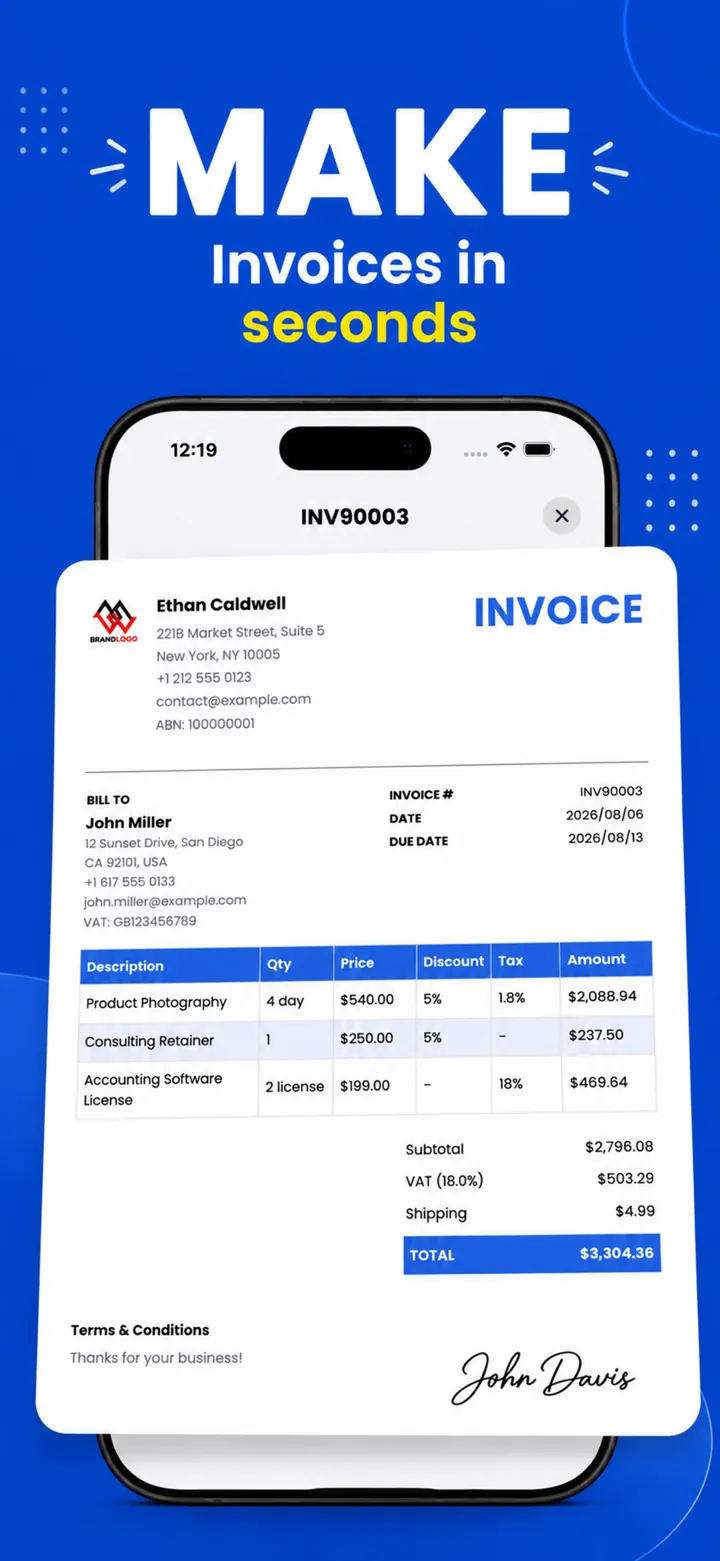
PocketInvoice is a free invoice maker and estimate app for iOS and Android. Create a professional invoice in under a minute, send it as a PDF, and track every payment — even with no internet connection.


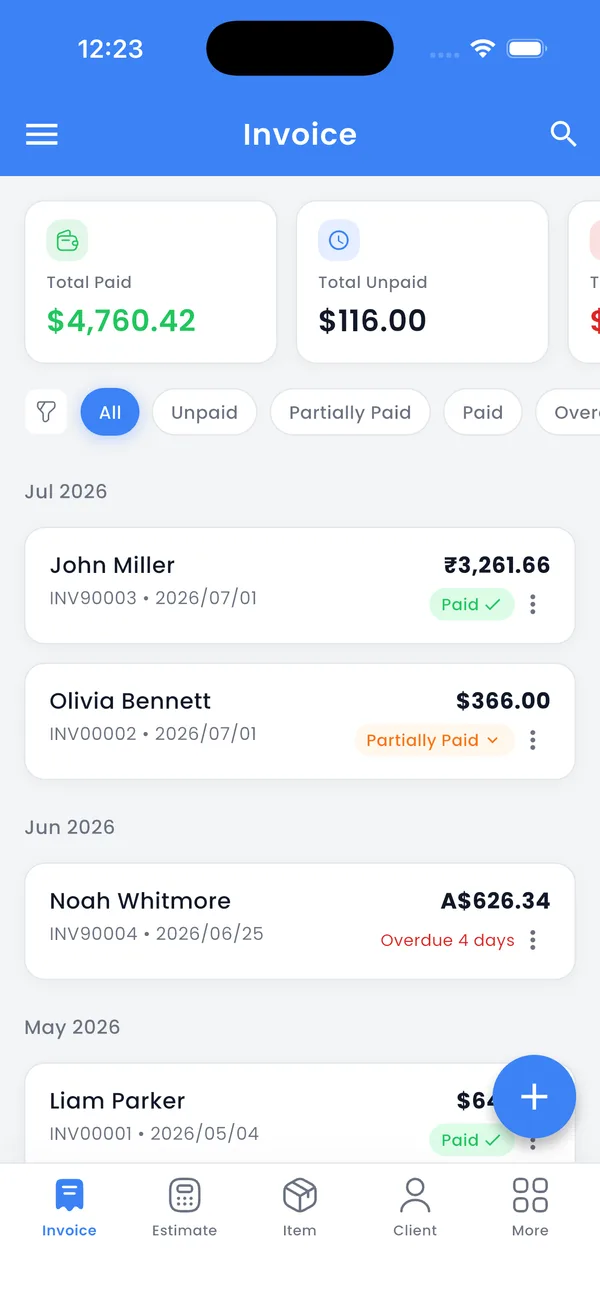
Everything You Need to Get Paid
Professional invoicing tools designed for freelancers, contractors, and small businesses.
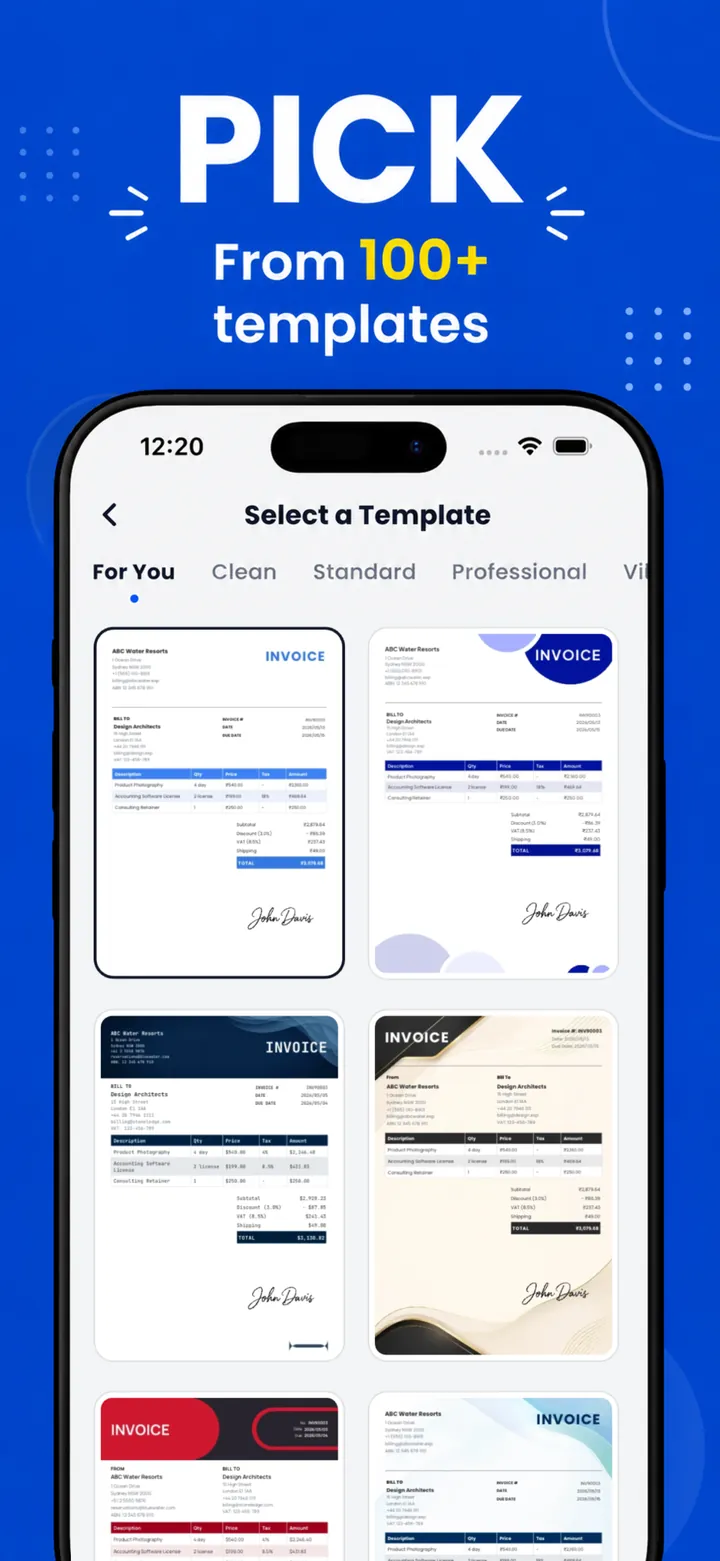
100+ Invoice Templates
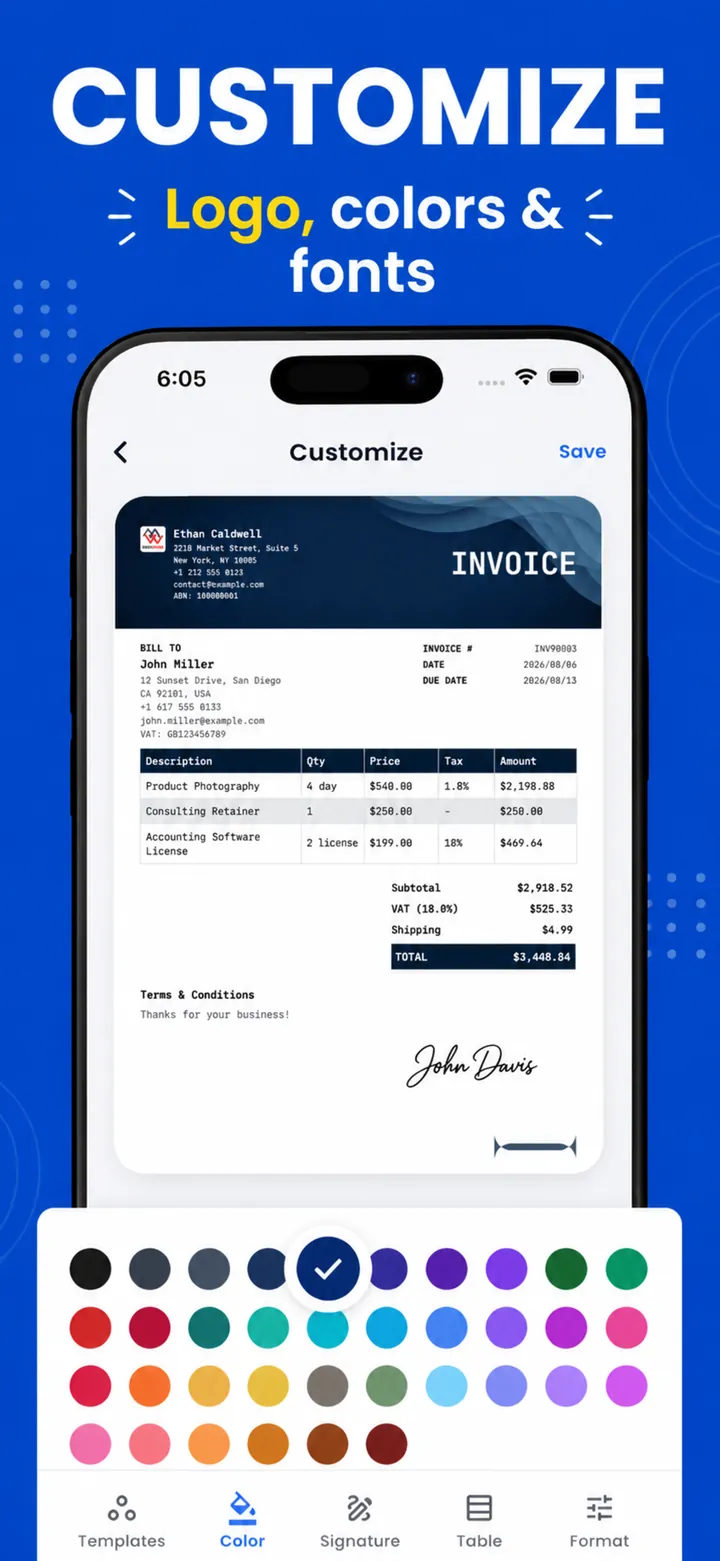
Pick from modern, classic, and industry-specific invoice designs, then customize colors, fonts, and layout to match your brand.
Estimates & Quotes
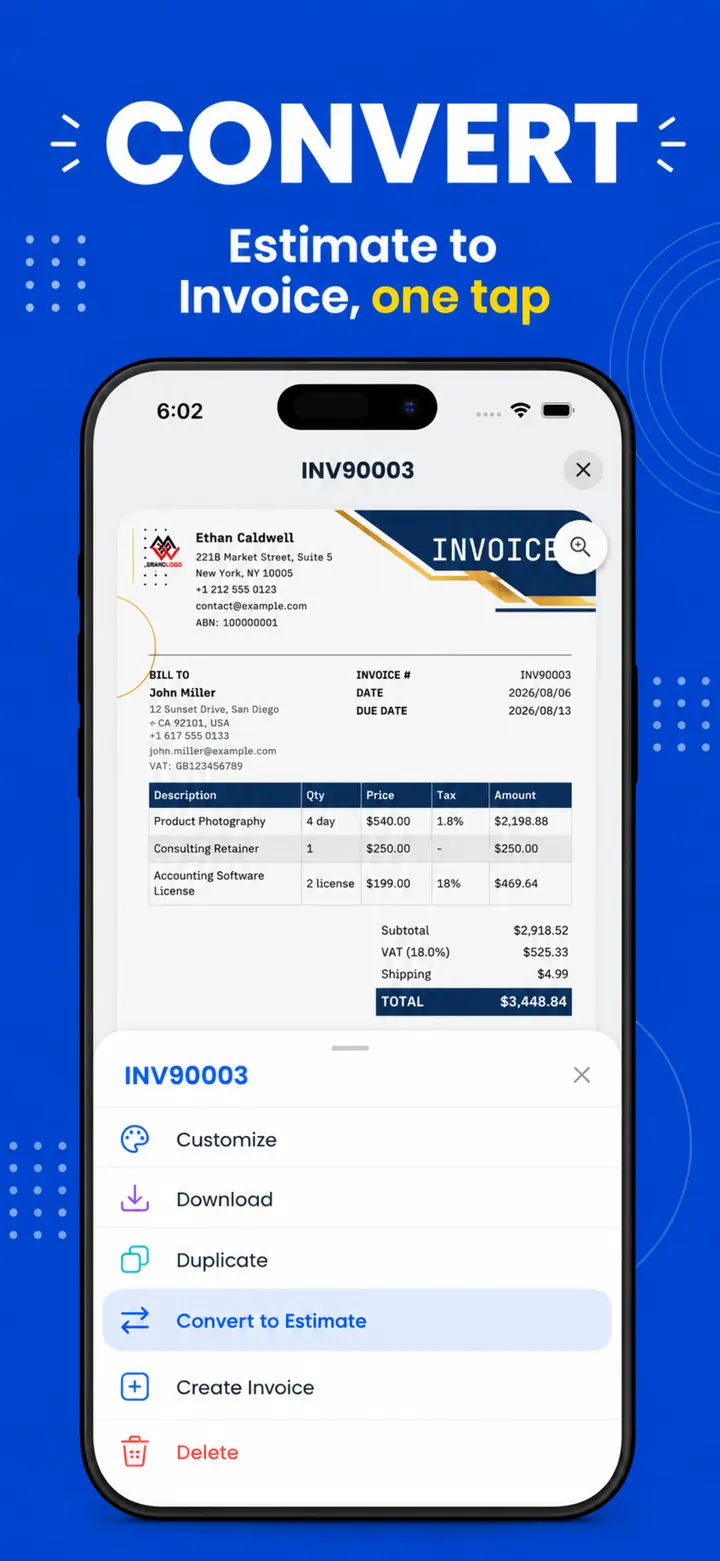
Send photo-backed estimates, get client approval, and convert them to invoices in one tap — no retyping.
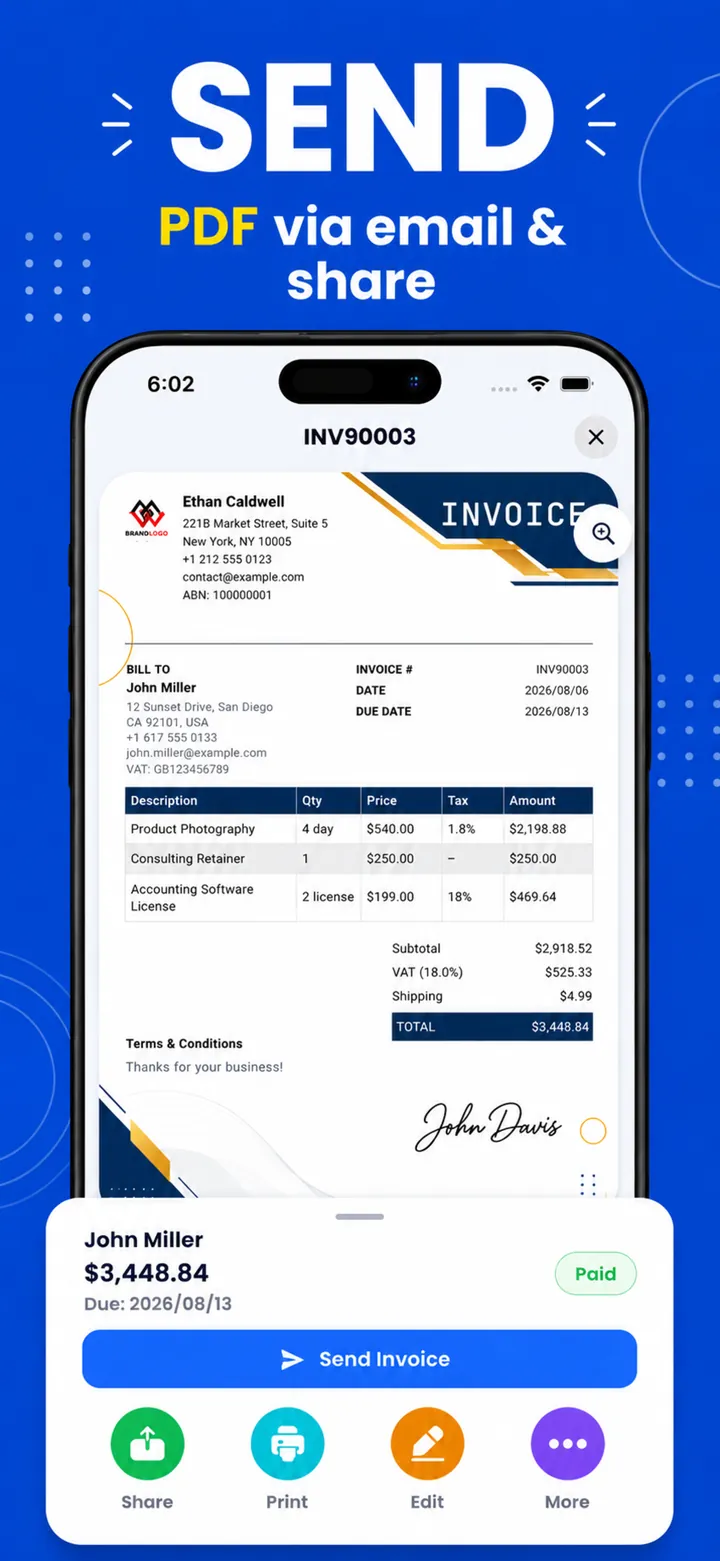
PDF Export & Sharing
Turn any invoice into a polished PDF or image and share it by email, WhatsApp, or any app on your phone — or print it.
Payment Tracking & Reports
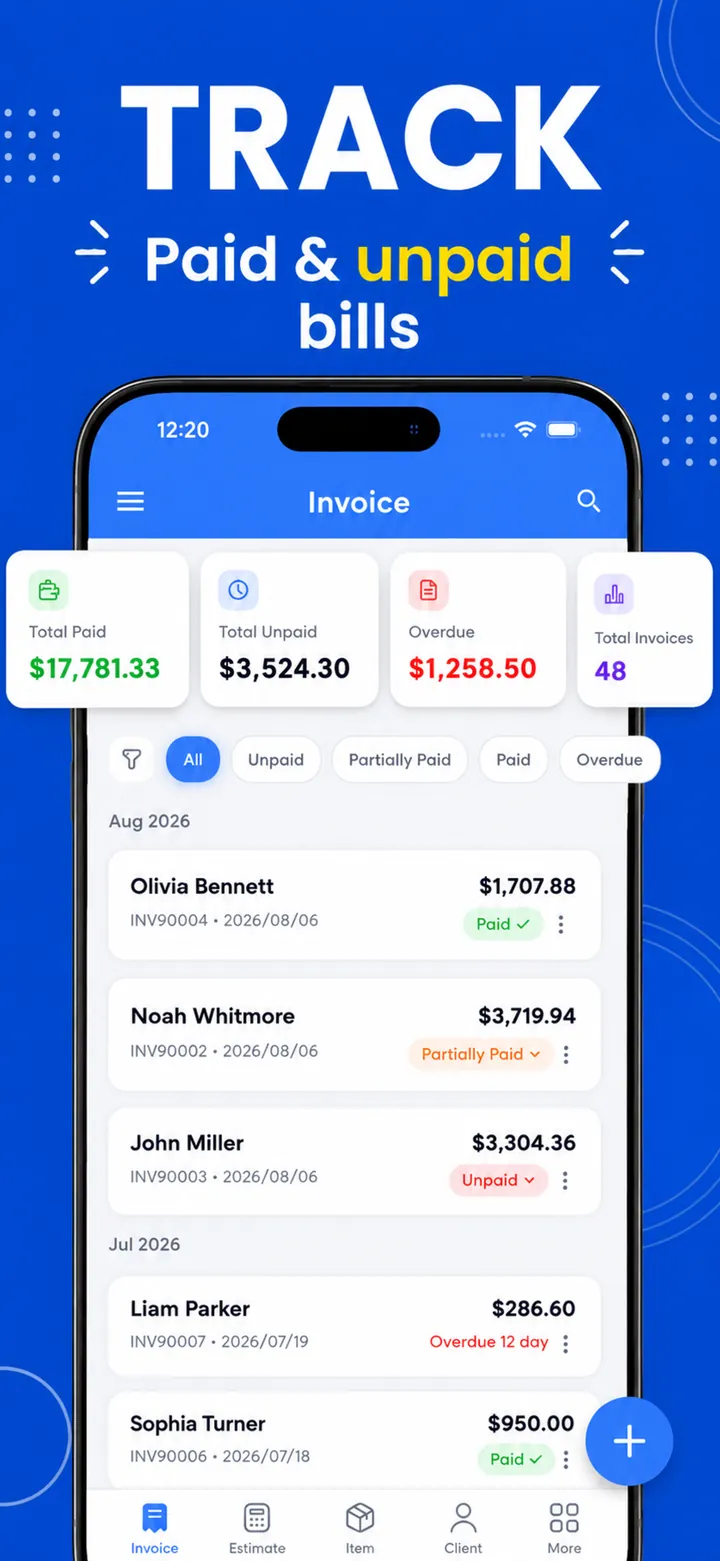
See paid, unpaid, partial, and overdue invoices at a glance. Due-date reminders and business reports keep your cash flow clear.
Clients & Saved Items
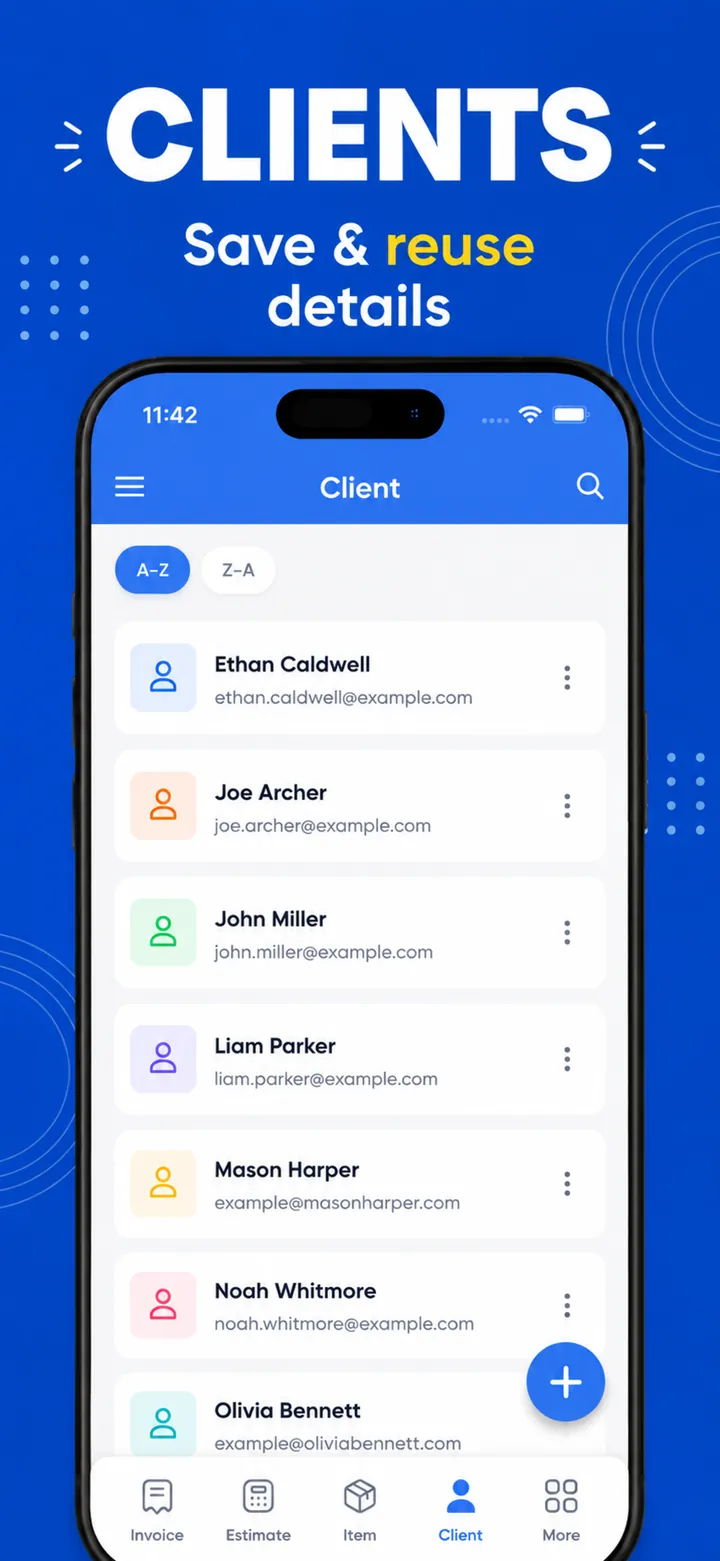
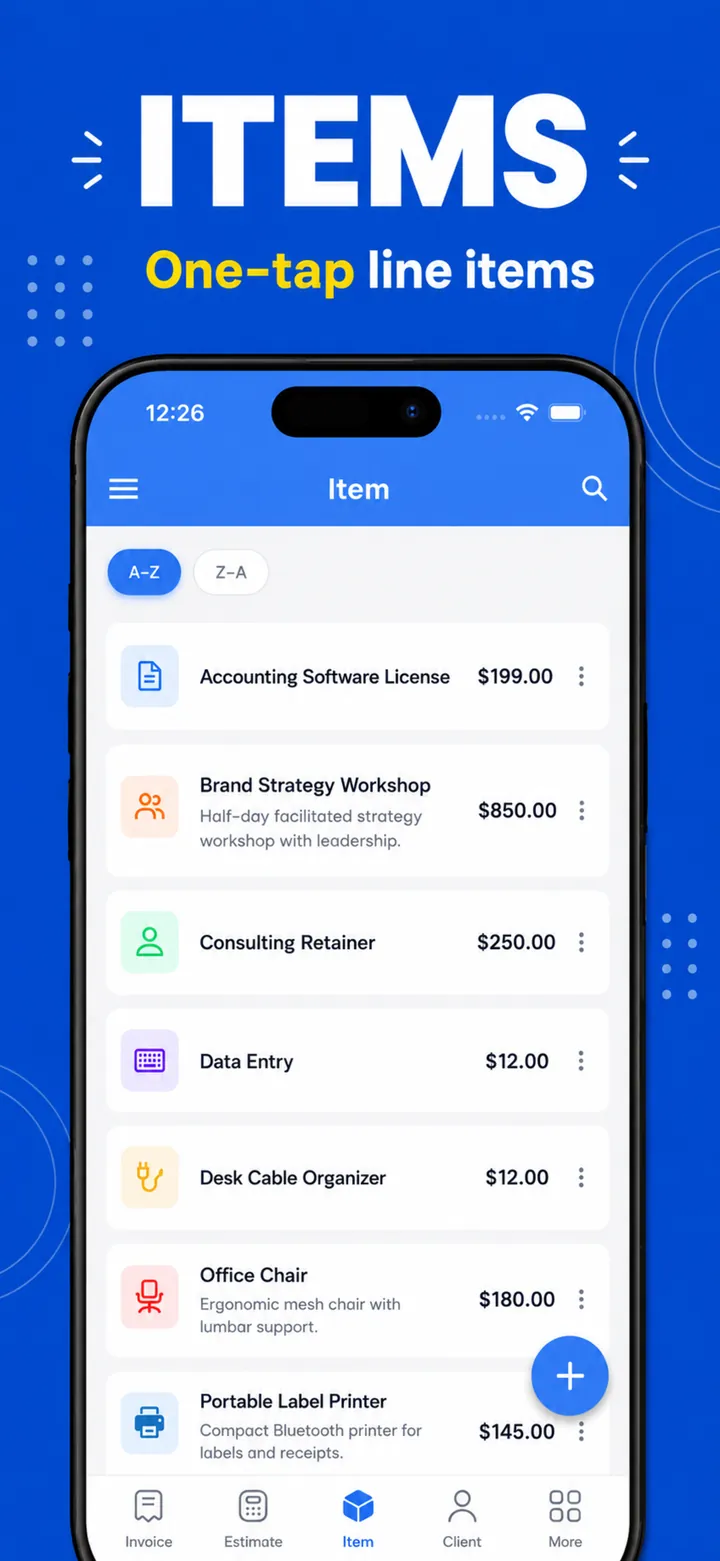
Save clients and services once, reuse them on every invoice. Import clients straight from your contacts.
Offline & Private
No account, no cloud, no tracking. Everything works offline and your data never leaves your device.
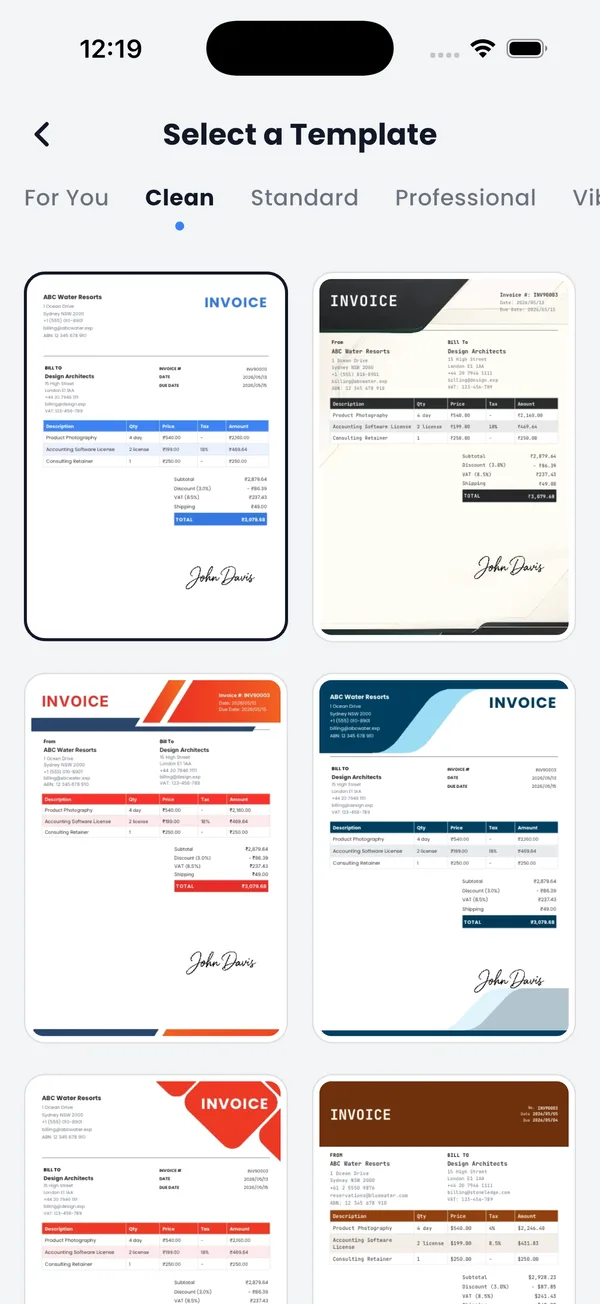
Stunning Invoice Templates for Every Business
From minimal to bold, luxury to structured — 100+ professional invoice templates that make your business look established from day one.
- ✓ 7 style families: clean, professional, vibrant, luxury & more
- ✓ 36 accent colors, multiple fonts and table styles
- ✓ Add your logo and digital signature
- ✓ Preview before you send
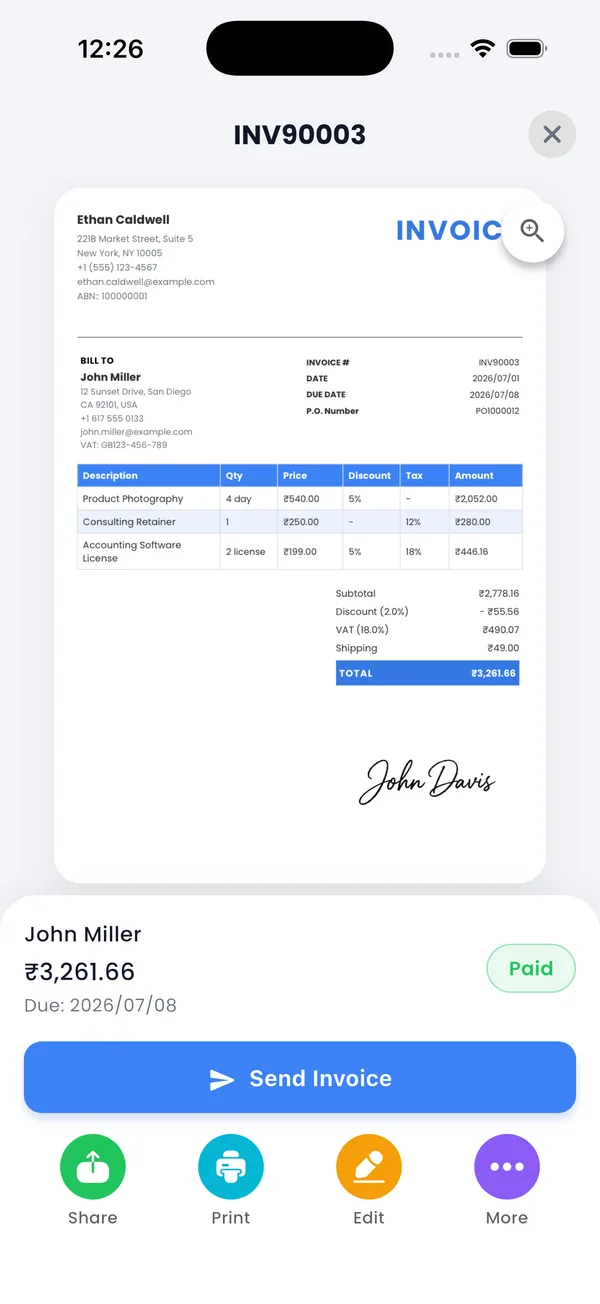
Create & Send Invoices in Under a Minute
A streamlined flow that takes you from blank screen to a client-ready PDF invoice — faster than opening a laptop.
- ✓ Add items, tax, discounts & signatures
- ✓ Share as PDF or image via email or WhatsApp
- ✓ Duplicate past invoices to save time
- ✓ Create estimates & convert to invoices
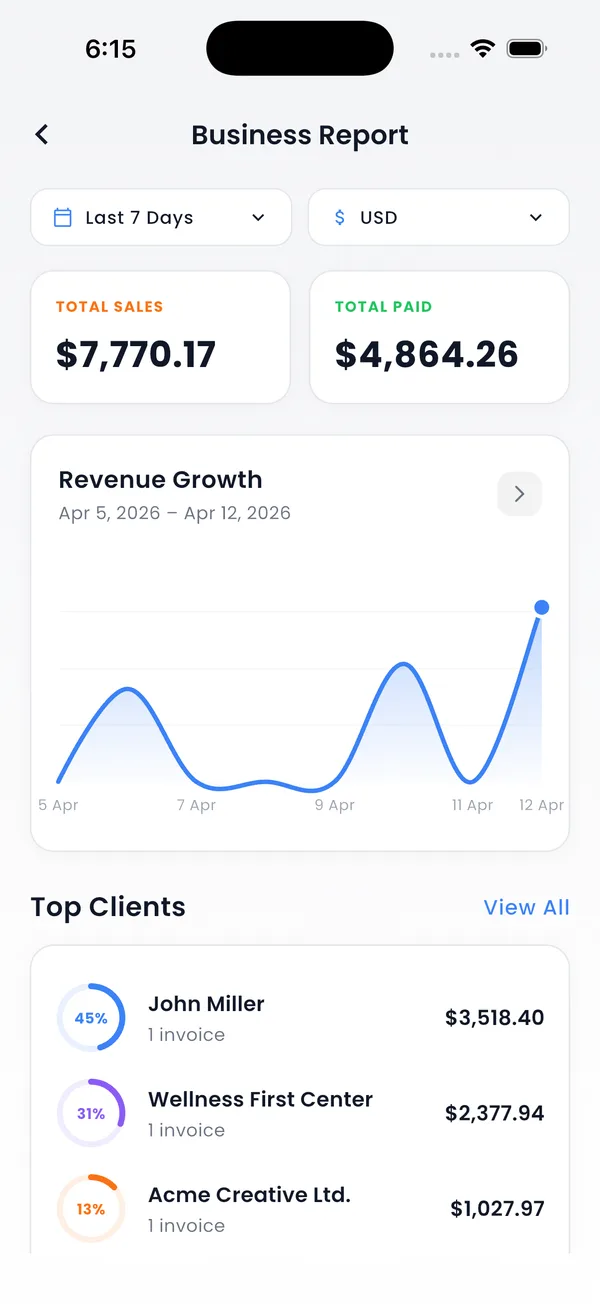
Track Payments & Know Your Numbers
Paid, unpaid, partial, overdue — see where every dollar stands and follow up before invoices go stale.
- ✓ Payment status & due-date reminders
- ✓ Record partial payments
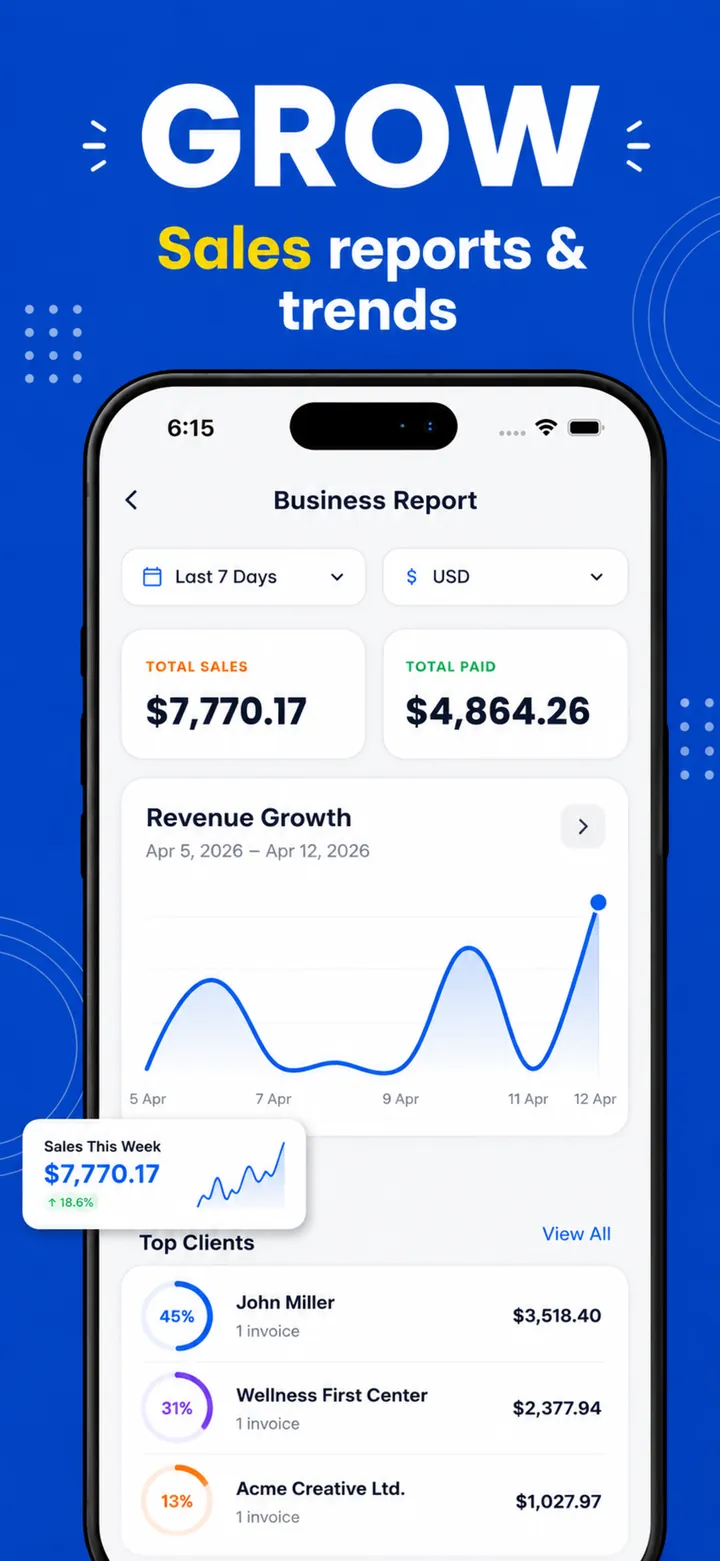
- ✓ Sales by client & item reports
- ✓ Export reports for your accountant
See PocketInvoice in Action
A closer look inside the app — create an invoice, pick a template, track payments, and share a PDF.
Get Paid in 3 Simple Steps
No signup. No learning curve. Open the app and send your first invoice or estimate in under a minute.
Choose a Template
Browse 100+ professional invoice templates and pick one that matches your brand style.
Add Your Details
Fill in client info and line items, then add your logo, tax rates, signature, and payment terms.
Send & Get Paid
Share the PDF via email, WhatsApp, or any app. Track payment status and get due-date reminders.
Invoicing Guides & How-Tos
Practical answers for freelancers, contractors, and small businesses — and exactly how to get it done with PocketInvoice.
How to Make an Invoice on Your Phone
Create and send a professional invoice from your phone in under a minute — no computer needed.
Read guide →Free Invoice Maker App
What you get free in PocketInvoice, what Pro adds, and how to make your first free invoice.
Read guide →Invoice App for Small Business
Set up your business profile, track payments, and export the reports your accountant actually wants.
Read guide →Invoice Maker for Contractors
Estimate on-site with photos, convert to an invoice when the job is done, and get paid faster.
Read guide →Invoice App for Freelancers
Templates, saved items, and payment tracking that make freelance invoicing painless.
Read guide →Estimate Maker App
Estimates vs invoices, photo-backed quotes, and one-tap conversion once the client approves.
Read guide →PDF Invoice Maker
Generate a PDF invoice on your phone and send it by email, WhatsApp, or straight to a printer.
Read guide →Invoice Template App
How to choose from 100+ templates and customize colors, fonts, logo, and layout.
Read guide →Offline Invoice App
Invoice with no internet, no account, and no cloud — your data stays on your device.
Read guide →GST Invoice App
Add your GSTIN, save GST tax rates, and share GST invoices on WhatsApp — fully offline.
Read guide →VAT Invoice App
Add your VAT number, save VAT rates once, and send professional VAT invoices from your phone.
Read guide →Invoice App for Android
Make, send, and track invoices on Android 7.0+ — share PDFs to WhatsApp, Gmail, and Google Drive.
Read guide →Quote Maker App
Send a professional price quote from your phone and turn it into an invoice when it's accepted.
Read guide →Receipt Maker App
Give customers a clean payment receipt by marking an invoice paid and sharing the PDF.
Read guide →Frequently Asked Questions
Everything you need to know about PocketInvoice.
Is PocketInvoice free to use?
PocketInvoice is free to download on iOS and Android. The free plan lets you create invoices and estimates every month, manage clients, and export PDFs. Premium unlocks unlimited invoices and all 100+ templates. Learn more →
How do I create an invoice on my phone?
Open PocketInvoice (no signup needed), add your business details and client, enter your line items, pick a template, and share the finished invoice as a PDF. The whole flow takes under a minute. Learn more →
Can I export and share invoices as PDF?
Yes. You can export any invoice or estimate as a professional PDF or image and share it directly via email, WhatsApp, or any other app on your phone — or print it. Learn more →
Can I add my business logo and branding?
Absolutely. Customize your invoices with your business logo, company details, 36 accent colors, fonts, and a digital signature to match your brand identity. Learn more →
Does PocketInvoice work without internet?
Yes, PocketInvoice works completely offline. Create, edit, and manage invoices without an internet connection. All data is stored locally on your device. Learn more →
Can I create estimates and convert them to invoices?
Yes. Create professional estimates — with photo attachments if you like — and convert them to invoices with a single tap once the work is approved. No re-entering details. Learn more →
Can I make GST invoices with PocketInvoice?
Yes. Add your GSTIN to your business profile, save your tax rates once (GST, CGST, SGST, IGST, or VAT), and reuse them on every invoice. Amounts work in ₹ and 100+ other currencies. Learn more →
Can I give customers a receipt?
Yes. Mark an invoice as paid and share the PDF — it shows the paid status and works as a clean payment receipt for your customer. Learn more →
Is my invoice data secure?
Your data never leaves your device. PocketInvoice stores everything locally — no cloud uploads, no third-party access. Complete privacy and data ownership. Learn more →
Who is PocketInvoice best for?
PocketInvoice is designed for freelancers, independent contractors, consultants, service providers, and small business owners who need professional invoices fast without complex accounting software. Learn more →
Ready to Get Paid Faster?
Download PocketInvoice free and send your first professional invoice today — no account, no setup, works offline.