PDF Invoice Maker: Professional PDFs from Your Phone
A PDF invoice looks identical on every device, attaches cleanly to email and WhatsApp, and can't be casually edited like a document file. Here's how to generate a professional PDF invoice on your phone in under a minute with PocketInvoice — free, offline, no account.
Why PDF is the right format for invoices
- Renders identically everywhere — your client's phone, laptop, or accounting software shows exactly what you sent.
- Professional by default — a PDF reads as a finished document; an editable file reads as a draft.
- Print-ready — correct page size and margins without fiddling.
- Tamper-resistant in practice — harder to accidentally (or deliberately) alter than a Word or Excel file.
Make a PDF invoice in 5 steps
- Open PocketInvoice and create a new invoice.
- Add your client and line items — tax and totals calculate automatically.
- Pick one of the 100+ templates and set your branding.
- Save — the app renders a print-quality PDF instantly.
- Share it: email, WhatsApp, Messages, save to Files, or print.
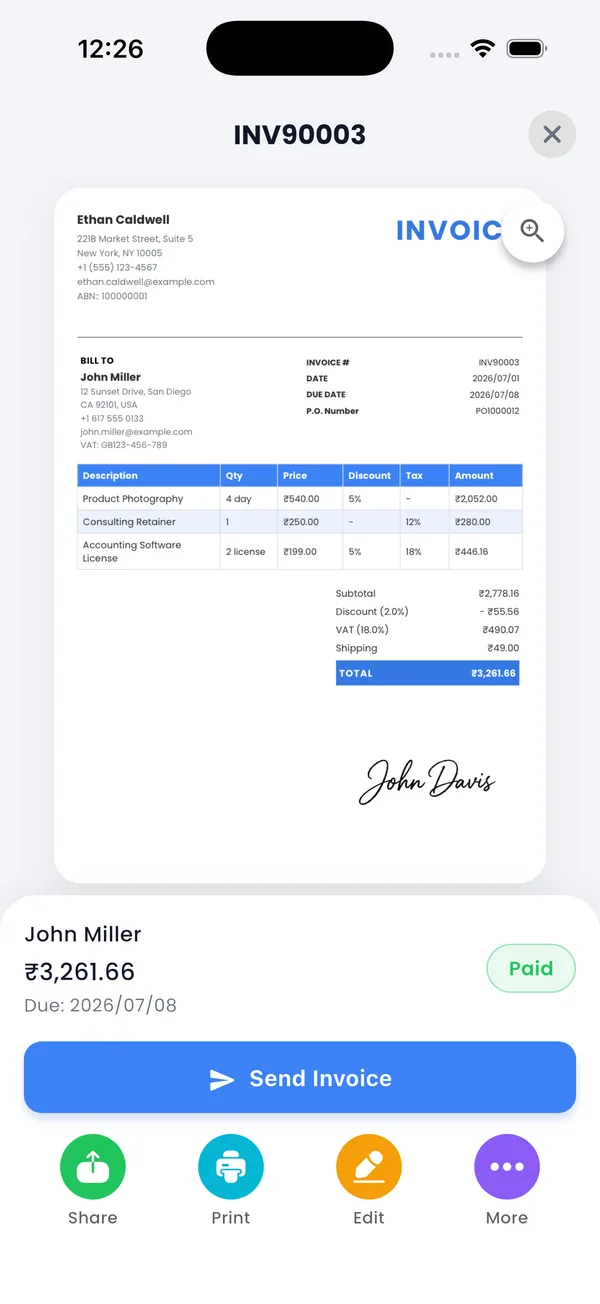
PDF or image — which should you send?
PocketInvoice exports both. Send the PDF as the official copy — it's what bookkeepers file and accounting systems ingest. The image (JPG) version is handy as a quick preview in chat apps, where it displays inline without opening a file. Many users send both in WhatsApp: image for instant viewing, PDF for records.
Sending your PDF invoice anywhere
The share sheet puts every option in one place: attach to an email, send via WhatsApp or Messages, save it to Files or Drive, or print straight to an AirPrint printer. The PDF is generated on your device, so all of this works offline too — the file is ready to send the moment you're connected.
Typography your clients will notice (or rather, won't)
PocketInvoice templates are typeset with professional font pairings and consistent spacing, so your PDF never has the "stretched table in a spreadsheet" look. What clients notice is simply that it looks right — and pay it without questions.
Generate your first PDF invoice free
PocketInvoice turns any invoice into a print-quality PDF in one tap — free on iOS and Android.


FAQ: PDF invoices
How do I email a PDF invoice from my phone?
Create the invoice in PocketInvoice, tap share, and choose your email app — the PDF attaches automatically. You can also send it through WhatsApp, Messages, or any app in your share sheet.
Can I print an invoice from my phone?
Yes. The PDF is print-ready — send it to any AirPrint or networked printer straight from the share options, or save it and print later.
Do my clients need special software to open it?
No. PDFs open natively on every modern phone and computer. Your client taps the attachment and sees the invoice exactly as you designed it.
Is PDF export free?
Yes. PDF and image export are included in PocketInvoice's free plan — you're never charged to send your own invoice.