How to Make an Invoice on Your Phone
The fastest way to make an invoice on your phone is with a free invoice maker app like PocketInvoice: open the app, add your business and client details, enter your items, pick a template, and share the finished PDF. No account, no computer, and no internet connection required.
What you need before you start
Gather four things and the invoice itself takes less than a minute:
- Your business details — name, phone, email, and address (plus a logo if you have one)
- Your client's details — name and email at minimum
- What you're charging for — each item or service with its price
- Payment terms — when it's due and how you want to be paid
Step-by-step: create an invoice on your phone
- Download PocketInvoice from the App Store or Google Play. It opens straight into the app — there is no sign-up screen.
- Add your business profile. Enter your business name, contact details, and logo once; every invoice uses them automatically.
- Tap Create New Invoice. The invoice number and date are filled in for you.
- Add your client. Type their details or import them straight from your phone's contacts. Saved clients are reusable next time.
- Enter line items. Description, quantity, and rate — the app calculates subtotals, discounts, and tax for you.
- Pick a template and customize. Choose from 100+ designs, set your accent color, and add a digital signature if you want one.
- Save and share. Export the invoice as a PDF and send it by email, WhatsApp, or any app in your share sheet.
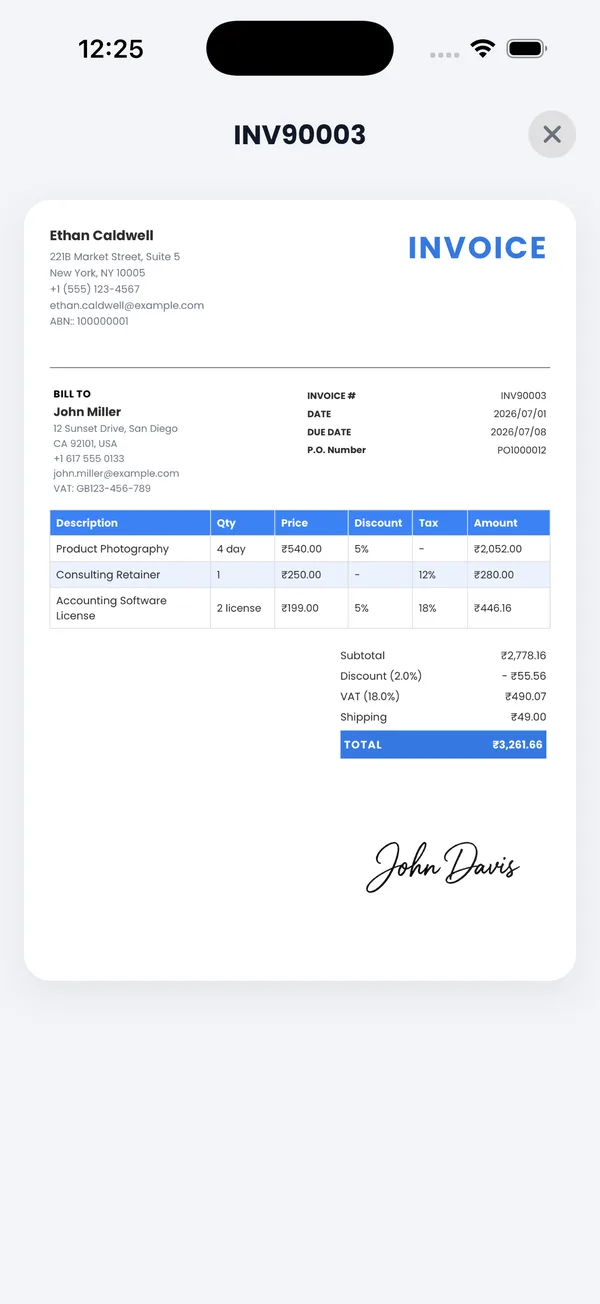
What every professional invoice should include
Whatever tool you use, a complete invoice has these parts:
- A unique invoice number
- Invoice date and payment due date
- Your business name and contact details
- Your client's name and details
- Itemized list of products or services with quantities and rates
- Tax, discounts, and the total amount due
- Payment methods and terms
PocketInvoice's templates include all of these fields by default, so nothing gets forgotten.
Why an app beats Pages, Word, or Excel on your phone
You can build an invoice in a word processor, but on a phone it's slow: you fight the layout, number invoices by hand, and lose track of what's been paid. An invoice app keeps numbering automatic, stores clients and items for reuse, calculates tax correctly, and turns everything into a clean PDF in one tap. It also tracks payment status, which a document never will.
Sending your invoice from your phone
Once saved, share the invoice as a PDF or image through any app on your phone: Mail, WhatsApp, Messages, or straight to a printer. You can also mark it paid later and re-share it as a receipt.
Make your first invoice now
PocketInvoice is free on iOS and Android — no account, works offline, first invoice in under a minute.


FAQ: Making invoices on your phone
Can I make an invoice on my phone without a computer?
Yes. An invoice app handles everything a desktop tool would: templates, tax calculation, PDF export, and sending. PocketInvoice is designed for exactly this — the entire flow happens on your phone.
Is it free to make an invoice on your phone?
PocketInvoice is free to download and includes a free plan with invoices and estimates each month, PDF export, and around 20 templates. Premium unlocks unlimited invoices and all 100+ templates.
Can I send an invoice by text or WhatsApp from my phone?
Yes. Export the invoice as a PDF or image and share it through Messages, WhatsApp, email, or any app in your phone's share sheet.
Will an app-made invoice look professional?
Yes — often more professional than a homemade document. PocketInvoice templates are professionally designed with consistent typography, your logo, brand colors, and an optional digital signature.