Invoice App for Android: Make and Send Invoices Free
PocketInvoice is a free invoice app for Android 7.0 and later. Create a professional invoice in under a minute, send it as a PDF to WhatsApp, Gmail, or Google Drive, and track who has paid — with no sign-up, no subscription to start, and no internet needed.
Why use an invoice app on Android
You can type an invoice in a document or spreadsheet app, but on a phone it's slow: you fight the layout, number invoices by hand, and lose track of what's been paid. An invoice app keeps numbering automatic, saves your clients and prices for reuse, calculates tax for you, and turns everything into a clean PDF in one tap.
How to make an invoice on Android
- Install PocketInvoice from Google Play. It opens straight into the app — there is no sign-up screen.
- Add your business profile. Business name, contact details, and logo, entered once and reused on every invoice.
- Add a client. Type their details or import them straight from your phone's contacts.
- Add line items. Description, quantity, and rate — subtotals, discounts, and tax are calculated for you.
- Pick a template. Choose a design, set your accent color, and add your signature.
- Save and share. Export the PDF and send it from the Android share menu.
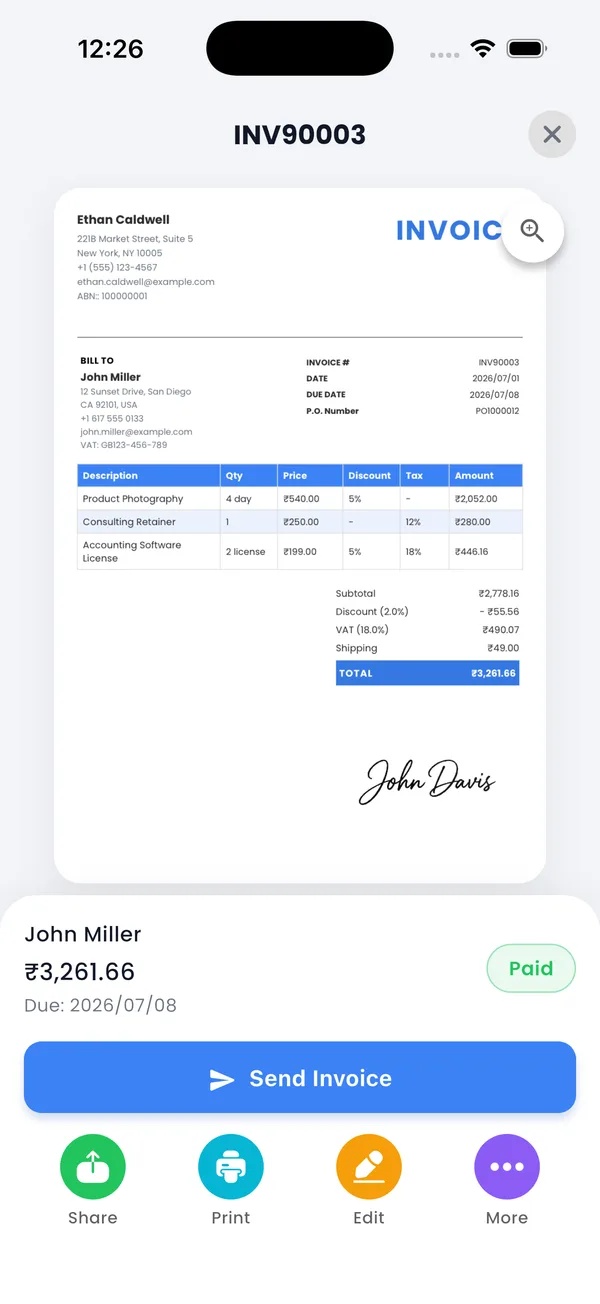
Send invoices on WhatsApp, Gmail, and Google Drive
PocketInvoice uses Android's own share menu, so your invoice goes wherever your phone can send a file:
- WhatsApp — the fastest way to get an invoice to a client who lives in chat. Send the PDF, or the image version for an instant preview.
- Gmail or any email app — the PDF attaches automatically.
- Google Drive — keep a copy of every invoice for your records or your accountant.
- Print — use Android's built-in printing to print to any connected printer.
Free on Android
The free plan gives you 3 invoices and 3 estimates every month, around 20 templates, payment tracking, and PDF export with no watermark. There's no trial to start and no payment method to add — Premium is optional and removes the limits. Here is exactly what the free plan includes.
Works offline, keeps your data on your phone
Everything — creating invoices, exporting PDFs, tracking payments — works with no signal, so you can bill a client on site and send the PDF when you're back online. Your invoices, clients, and prices are stored on your phone only, with no cloud account. To move to a new Android phone, export a ZIP backup, save it to Google Drive, and import it on the new phone. More in the offline invoice app guide.
Track who has paid
Every invoice shows as paid, unpaid, partially paid, or overdue, with totals at the top of the list. Record part payments as they come in, and set due dates so the app reminds you to follow up.
Get PocketInvoice on Google Play
Free on Android 7.0 and later — no account, works offline, first invoice in under a minute.


FAQ: Invoice app for Android
Is there a free invoice app for Android?
Yes. PocketInvoice is free on Google Play. The free plan includes 3 invoices and 3 estimates every month, PDF export with no watermark, and payment tracking, with no sign-up and no subscription needed.
Which Android versions are supported?
PocketInvoice runs on Android 7.0 and later, on phones and tablets.
Does the Android invoice app work offline?
Yes. Creating invoices and estimates, exporting PDFs, and tracking payments all work with no internet. Only sending the PDF needs a connection, through whichever app you share it with.
Can I send invoices on WhatsApp from Android?
Yes. Export the invoice as a PDF or image and pick WhatsApp in the Android share menu. Gmail, Google Drive, and any other app in the share menu work the same way.
How do I move my invoices to a new Android phone?
Export a ZIP backup from the app, save it somewhere you can reach from the new phone (for example Google Drive), then install PocketInvoice on the new phone and import the backup.