Offline Invoice App: Invoice Anywhere, No Account Needed
PocketInvoice works 100% offline: create invoices and estimates, edit clients, and export PDFs with no internet connection and no account. Your data is stored only on your device — nothing is uploaded, synced, or tracked.
Why offline matters more than it sounds
Most invoice apps are web apps in a wrapper — no signal, no invoice. That fails exactly where work happens: basements, new-build sites without service, rural jobs, parking garages, flights. An offline-first app opens instantly, never shows a spinner, and never blocks billing on someone else's server being up.
What works offline (everything)
- Creating and editing invoices and estimates
- Generating PDFs and images
- Managing clients, items, and business profiles
- Payment tracking and business reports
- Templates and customization
The one honest caveat: actually sending the document uses whatever app you share it with. The PDF is generated and ready offline; your email or WhatsApp delivers it once you're back in coverage.
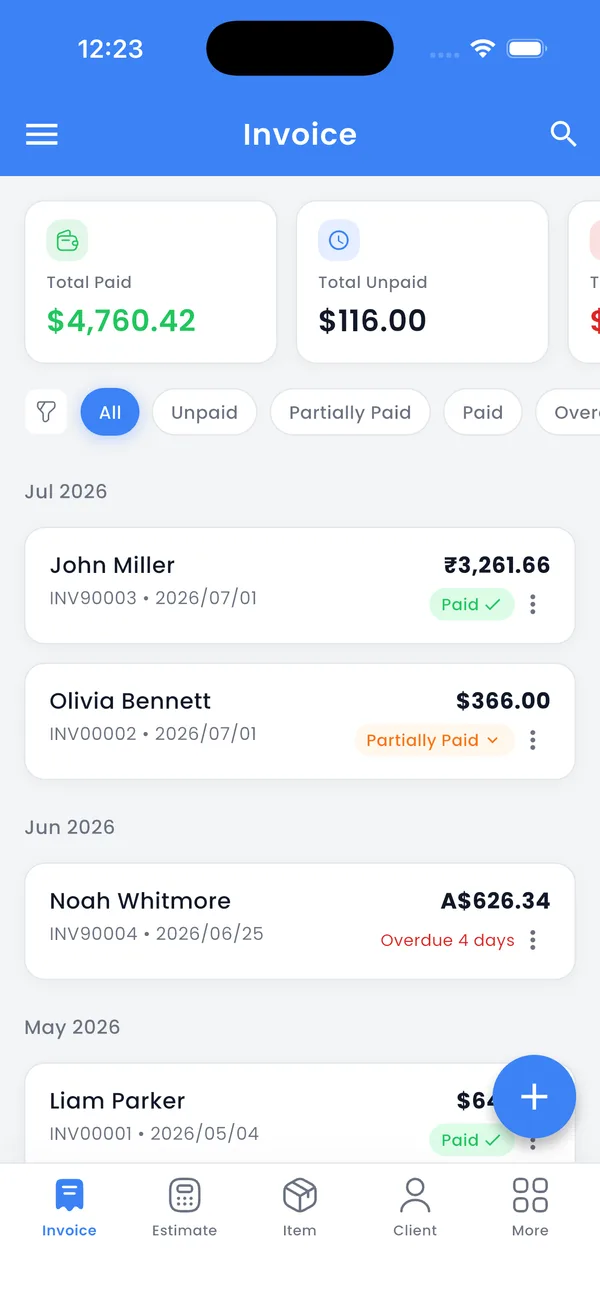
No account, no sign-up, no friction
PocketInvoice has no registration screen. Download it, open it, invoice. There's no email to hand over, no password to forget, and no marketing list you've silently joined. This isn't just convenience — an app that never asks for your identity can't leak it.
Your data stays yours
Everything lives in local storage on your phone: client list, prices, revenue, documents. No cloud copy exists unless you make one. For backups and phone upgrades, export your complete data as a ZIP file and import it on the new device — you control where that file goes (Files, Drive, AirDrop, anywhere).
The trade-off, stated honestly
No cloud means no automatic off-device backup — if you lose the phone without an export, the data goes with it. The fix is one habit: export a ZIP backup after heavy invoicing periods. For most small operators, owning that trade beats having a third party permanently hold their entire billing history.
Invoice without the internet
Download PocketInvoice free — no account, no cloud, everything on your device.


FAQ: Offline invoicing
Does PocketInvoice need an internet connection?
No. Creating invoices and estimates, exporting PDFs, tracking payments, and reports all work fully offline. Only sharing the document (email, WhatsApp) needs a connection — and that happens in the app you share to.
Where is my invoice data stored?
Locally on your device, nowhere else. There is no cloud account, no sync, and no third-party server holding your business data.
How do I move my data to a new phone?
Export your complete data as a ZIP backup from the app, transfer the file to the new phone, and import it. Everything — invoices, estimates, clients, items, settings — comes across.
Is there really no sign-up?
Really. The app opens directly into invoicing. No email, no password, no account recovery — because there's no account.