VAT Invoice App: Create VAT Invoices on Your Phone
With PocketInvoice you can create VAT invoices on your phone in seconds: add your VAT number to your business profile, save the VAT rates you use (standard, reduced, or zero), and apply them to any invoice. Works in £, €, and 100+ other currencies — free, offline, no account.
What a VAT invoice includes
A standard VAT invoice generally shows:
- Your business name, address, and VAT number
- A unique invoice number and date
- The customer's name and details
- Description of goods or services with quantities and rates
- The net amount, the VAT rate applied, and the VAT amount
- Total amount payable
Exact requirements differ from country to country — your accountant can confirm what applies to your business. PocketInvoice covers the fields above out of the box.
Set up VAT in PocketInvoice once
- Add your VAT number: open your business profile and enter it in the tax number field — it then appears on every invoice you create.
- Save your VAT rates: create the named rates you actually use (for example VAT 20%, VAT 5%, or a zero rate) — one time, reusable on every invoice.
- Set your currency and date format: pick £, €, or any of 100+ currencies in settings.
Apply VAT per line item
Each line item on a PocketInvoice invoice carries its own tax rate, so standard-rated and reduced-rated items can sit on the same invoice. Enter your prices, apply the saved rate per item, and the VAT amount and invoice total calculate automatically — no manual math, no formula errors.
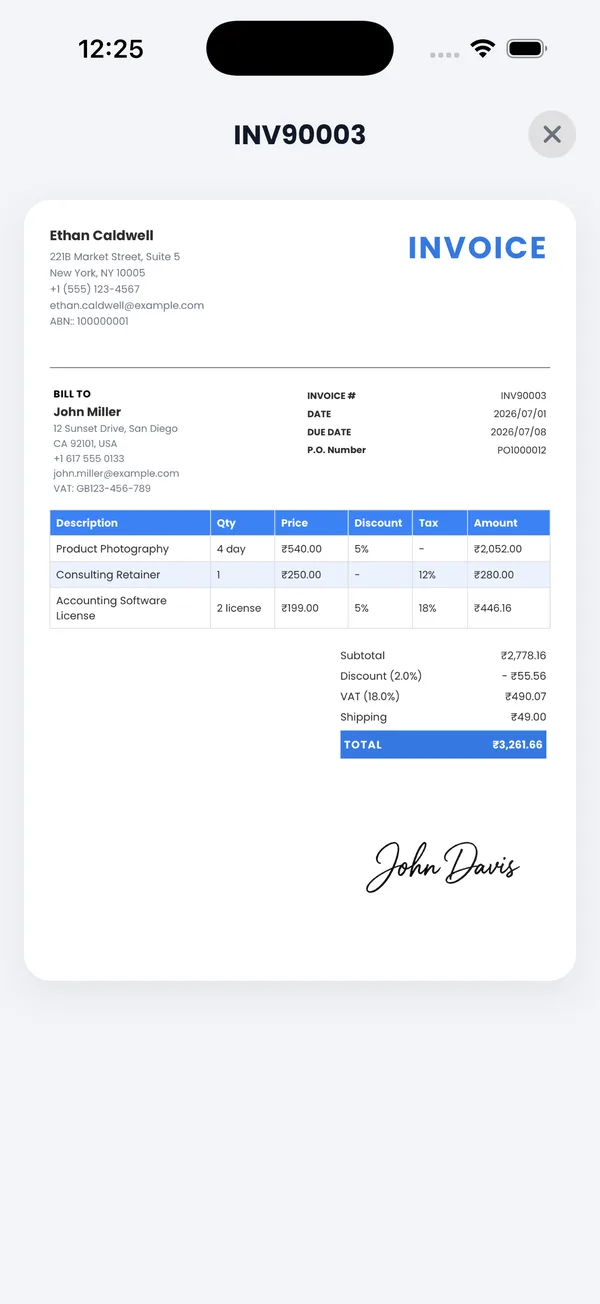
Invoicing clients at home and abroad
Bill a UK client in £ with their date format, an EU client in €, and a US client in $ — PocketInvoice supports multiple currencies and date formats per your needs. Combined with 100+ professional templates, your VAT invoices look like they came from an established business, whatever the size of yours.
Works offline, stays private
PocketInvoice needs no internet connection and no account: create and send VAT invoices from anywhere, with all your business data stored only on your device. Export a ZIP backup whenever you want an off-device copy.
Send your first VAT invoice today
PocketInvoice is free — VAT number on every invoice, saved rates, PDF export, works offline.


FAQ: VAT invoicing
How do I add my VAT number to invoices?
Enter your VAT number in the tax number field of your business profile in PocketInvoice. It then appears on every invoice and estimate automatically.
Can I use different VAT rates on one invoice?
Yes. Each line item carries its own saved tax rate, so standard-rated and reduced-rated items can sit on the same invoice. Totals and the VAT amount calculate automatically.
Does the app calculate VAT automatically?
Yes. Enter your item prices and apply a saved VAT rate — PocketInvoice calculates the VAT amount and the invoice total for you.
Is the VAT invoice maker free?
Yes. VAT invoices use the same free plan as all invoices in PocketInvoice, with monthly limits. Premium removes the limits and unlocks all 100+ templates.